

If you're a complementary therapist offering services online or locally, one of the simplest (and free!) ways to boost your visibility and attract new clients is with a Google Business Profile.
In fact, many people search for phrases like "reflexologist near me" or "counsellor in [town name]" - and it's the businesses with a verified Google Business Profile that show up first, especially in the local map results.
In this post, we'll look at:
- What a Google Business Profile is
- Why it's especially helpful for therapists
- How to set one up step-by-step
- Tips to get the most out of it
What Is a Google Business Profile?
A Google Business Profile (formerly called Google My Business) is a free listing you can create on Google that helps your business appear in:
- Local search results
- Google Maps
- The "knowledge panel" on the right-hand side of search results
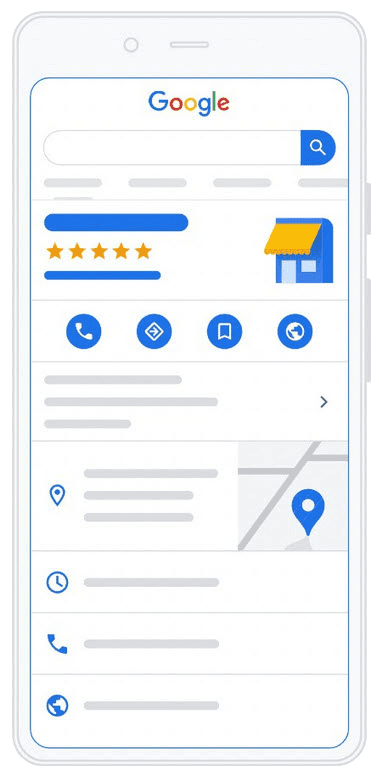
You can add your contact details, website link, business hours, services, photos, and client reviews - all of which help build trust and get you seen by the right people.
Why Therapists Should Use It
Even if you already have a website, your Google Business Profile acts like your digital shopfront - giving potential clients a snapshot of who you are and what you offer.
Here's why it's a great move:
-
Show up in local searches
When someone nearby searches for a therapy you offer, your profile helps you appear in the Google 3-pack (the top local results).
-
Build trust through reviews
Happy clients can leave 5-star reviews and comments, which helps others feel more confident in reaching out.
-
Highlight your services
You can list exactly what you offer - whether it's Reiki, counselling, reflexology, hypnotherapy or something else - with descriptions and pricing.
-
Make it easy to get in touch
Your phone number, website, email, and directions are all there in one place - super convenient.
-
Looks professional and polished
Having a complete, updated profile shows that you're established, active, and paying attention to your online presence.
How to Set One Up (Step-by-Step)
Setting up your profile takes around 10-20 minutes. Here's how to do it:
- Go to https://www.google.com/business
- Click "Manage now" and sign in with a Google account.
- Enter your business name - use either your name (e.g. Jane Smith Therapy) or your practice name.
- Choose your business category - e.g., "Massage therapist", "Counsellor", "Reflexologist".
- Add your address - if you work from a clinic or home. If you're online-only, you can choose not to show an address but still appear in local searches.
- Add contact details - like your phone number and website.
- Verify your business - usually Google sends a postcard with a code to your address.
- Once verified, you can log in and:
- Add your business hours
- Upload a profile photo and cover image
- List your services and prices
- Write a short "About" description
Extra Tips for Therapists
- Use keywords in your description - for example, "I offer counselling for anxiety and stress in Brighton" will help people find you.
- Encourage happy clients to leave a review - a few 5-star reviews can make a big difference.
- Add photos of your therapy space (if applicable) - it helps clients feel more comfortable.
- Keep your hours and details updated - especially if you close for holidays or offer limited online slots.
- Post updates occasionally - you can publish short updates or special offers directly on your profile.
Want Help Setting It Up?
If you're a HealthHosts client and want help creating or improving your Google Business Profile, we're happy to assist. Whether you want us to set it up from scratch or review your existing listing, just get in touch - we're here to help.
Google Business Profile Set Up Video Tutorial
If you prefer to follow along visually, here's a helpful video walkthrough that guides you step-by-step through setting up your Google Business Profile.